iPhone

So you want to get Podcasts back in the Music app?

I listen to many podcasts on my iPhone when walking and driving, and subscribe to more than fifteen to ensure I have a constant supply – this does not include the books I have subscribed to at Podiobooks.

My Top Five Podcasts

When I saw that Apple had released a Podcast app – that I could use to download podcasts as well as get them to my iPhone via the iTunes sync, I thought I would try it out.

Now there was nothing wrong with the app – but once it was installed on my iPhone the podcast option in the phone’s Music app had gone! This I did not like as my preference is to have access to all my audio in one app. However when I deleted the Podcast app the podcast option did not return – but a trip to Google gave me the answer and the link below will take you to a “how to” page that describes how to get podcasts back in the Music app.

http://www.mactrast.com/2012/09/how-to-bring-podcasts-back-into-the-music-app-in-ios-6/

Thanks Katie

So you want to get Podcasts back in the Music app? Read More »

Yesterday’s Photo

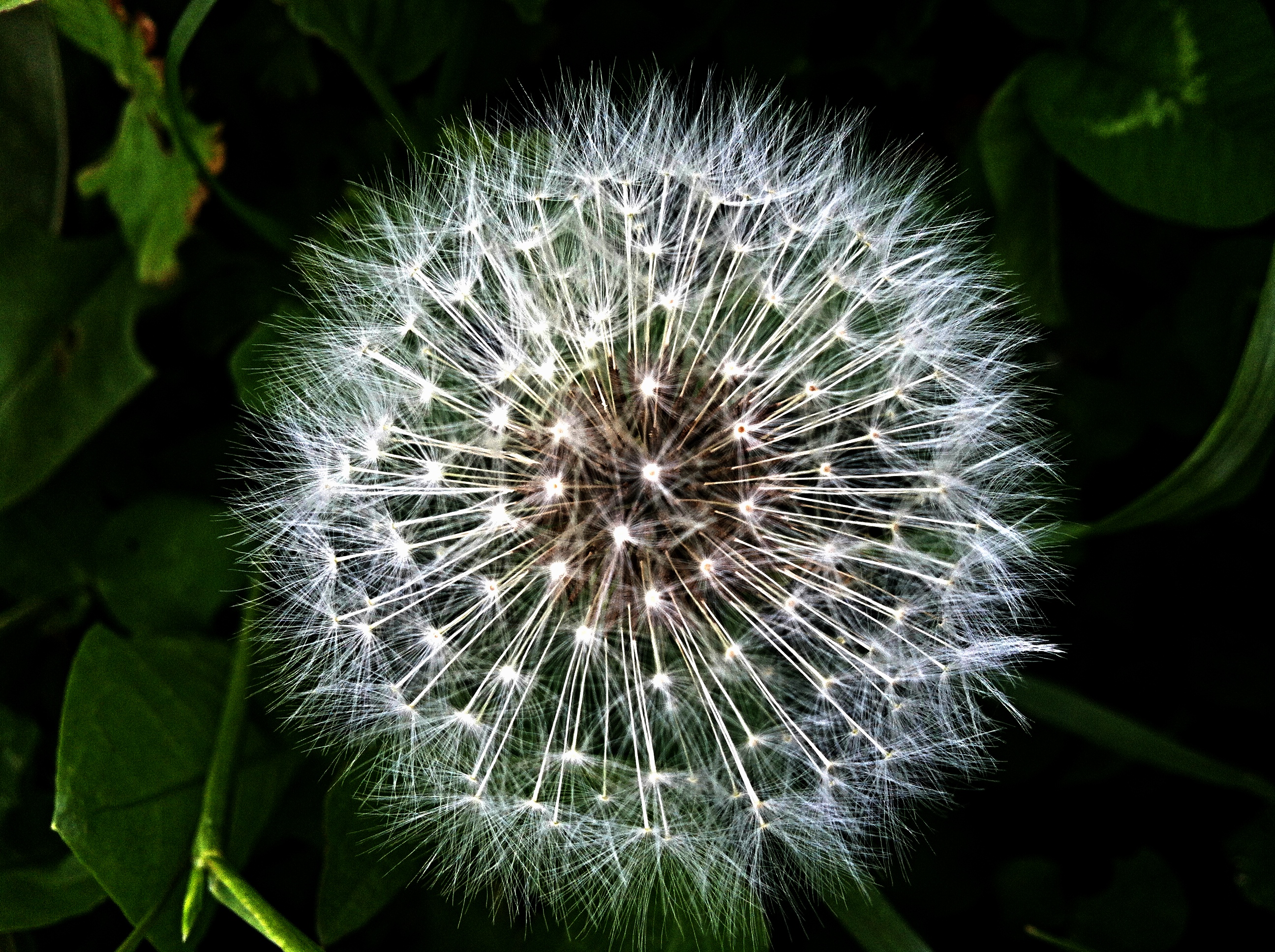
The photo I posted yesterday as part of my “Photo a Day” project had been post processed to give the final image.

The original image was taken with Camera+.

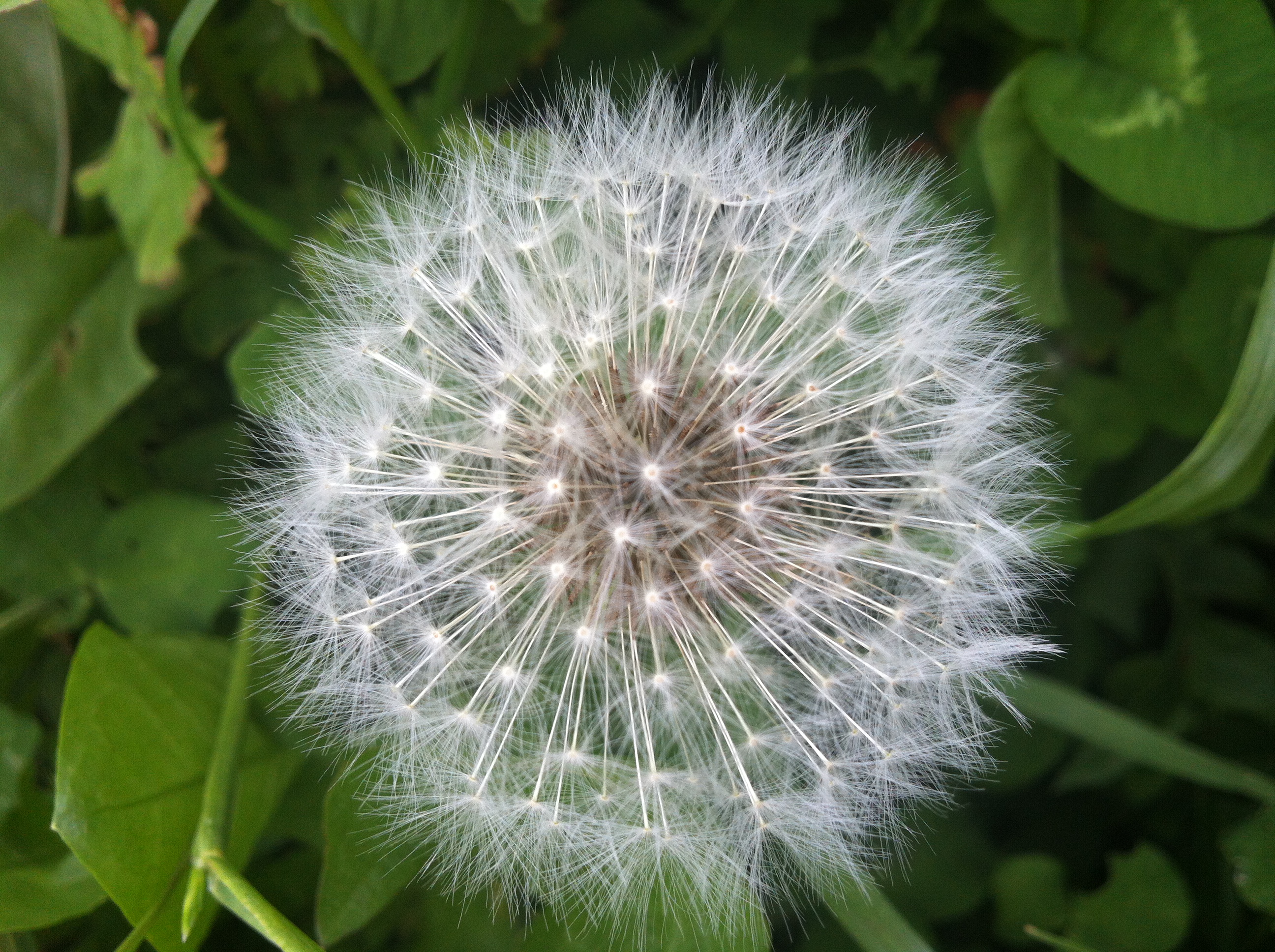
Dandelion Original

Although I have got a copy of 645 Pro, which is a good camera replacement app for an iPhone, I find Camera+ so much quicker to use and it returns great images. In this situation the dandelion was moving in the wind so being able to shoot at the moments it was still was essential, as it was nearly half of the images I took were blurred.

I used the Apple Picture app to sort through the images, firstly to delete all the ones where the framing was off or they were blurred and then to select the final image I was going to work on.

I was pleased with this initial image – it shows the detail of the seed head against a vague green background but I wanted to see if I could bring out some of the details and improve the impact of the final image.

This meant using my favourite iPhone image processing app Photogene2. One of the features of the app is that you can save your own custom image filters – and this I have done.

I have created a low exposure, high contrast mono filter, that creates an image similar to those I used to regularly print in my black and white “wet” darkroom, but on the way to creating this filter I also saved a version of the effect but without applying a grey scale to the image – so it is still colour. It was this filter I decided to apply as it would emphasise the white seed parachutes and reduce the influence of the backgound. This I think it did with good results.

Dandelion Processed

If you click on either of the above images they link to full size versions (2592 x 1936 pixels) so you can examine the details.

Yesterday’s Photo Read More »

645 Pro Camera App

Having seen 645 Pro app trailed last week, I decided quite quickly on Saturday evening to buy another camera app for my iPhone.

I gave the manual a quick look over on Saturday and then went out and used it Sunday morning.

It is a complicated app to use – with all the functions driven from the main screen, using small button, and on first use, in bright sunshine where I was struggling to see the iPhone screen I had some difficulty using the camera. However with practice the strength of this app is that all the controls are alway available, making creative choices easy.

There were several features I was really interested in.

Film Stock

It comes with built-in filters that emulate traditional film stock results. I especially like the K14, a saturated colour result similar to Kodachrome and H5, a high contrast filter that emulate Ilford HP5 mono film.

Various frame ratios

I do like Jag.gr’s 6×6 camera – and the square format is included in the options.

Live View

Both of the above functions will display live in the view finder, so you will see a mono square image if you have those options selected.

Below are some comparison photos. Not as sharp as I wanted but they show the colours.

20120424-151549.jpg

taken with 645 Pro K14 6×6

20120424-151653.jpg

taken with Camera+

20120424-152230.jpg

the Camera+ image – post processed with Camera+’s polarizing filter.

If there is a problem with this app it is that it is slow to use. The viewfinder is “laggy” as you pan and tilt looking for your shot. There is an occasional delay after pressing the shutter release and a longer delay before the app returns control to the user. Because of this I was struggling to get the framing right on some moving leaves when using the camera last Sunday.

I am pleased with the array of functions available in this app and look forward to using it over the coming months however its complexity relegates this app to my second camera “when I have time”. Camera+ is still my go to camera replacement app, it is quick to use and has a flexible focus and exposure system. I have taken some of my “Photo a day” images this week with 645 Pro but Camera+ is still the one I am using the most, and remains the camera app I would recommend to people, as it meets most people’s needs. I have only recommended 645 Pro to one friend who is a really keen photographer as he will get some fun and benefit from the app.

Overall I am pleased I bought this app and I am looking forward to any updates that will address the issues.

Camera+ website

645 Pro website
645 Pro Camera App Read More »

Walking to Woodhall Spa from Coningsby pt1

This weekend I have a short walk planned with a couple of friends – it is a gear try out before we go wild camping next month.

Following the trip a couple of week ago, I spent last night making a better job of packing my rucksack and I have got my sleeping mat packed inside the Golite Jam, rather than hanging on the outside. The new compression sack and making a better job of fold/rolling my tent made this possible.

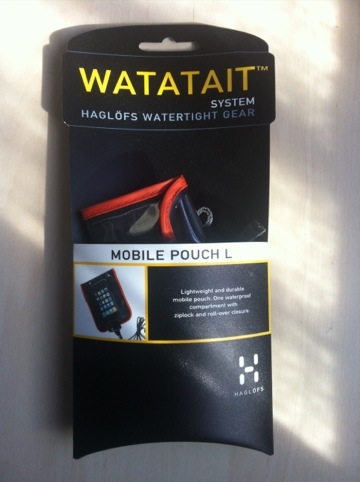
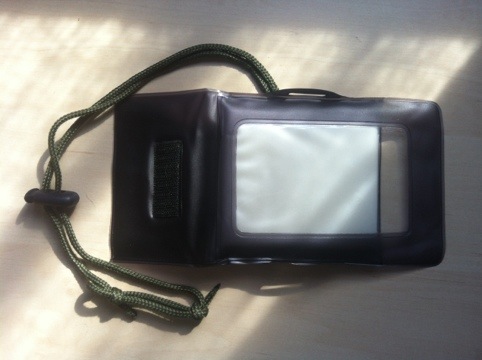
I have a new bit of gear for this weekend. Diana bought me a case to protect my iPhone from the elements as the Watatait Case failed on me whilst away in Scotland in January. I contacted Haglofs, who took the faulty case back and then quickly replaced it – however they did not have my model in stock and so supplied me with a larger pouch which does not have the transparent back panel so I cannot use the camera whilst in the case. However it is a good waterproof case and I will find a use for it in the future.

20120414-103235.jpg

The new case is less “hi-tech” than the previous cases I have used, but it is lighter and smaller. It has a velcro roll top and a padded interior to give a little more protection to the iPhone and has that vital transparent back so I can use the camera in the rain. However, contrary to the instructions I do not think it is 100% waterproof – but 100% weather proof – I would not submerse this case but I would carry it in my pocket and use it in the rain.

20120414-103254.jpg

I added the paracord and cord grip for security.

Walking to Woodhall Spa from Coningsby pt1 Read More »

Podcasts

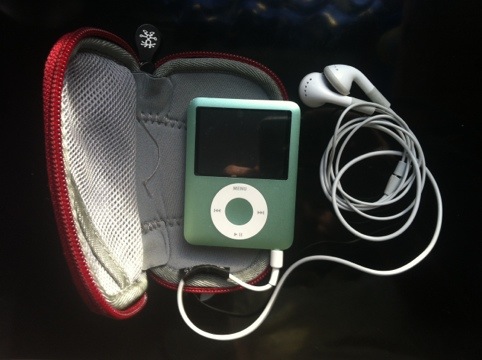
I am a great fan of podcasts stories and each week a I sync my favourites to my iPhone so I can listen to them whilst travelling between jobs. When walking I use my iPod, synced with the same podcasts and extra audiobooks.

20120414-094731.jpg

I follow Tony Smith’s Sci-Fi podcast and this week for the third year in a row, his Starship Sofa has been nominated for a Hugo Award (a pretigous, international Sci-Fi award).

StarShipSofa No 233 Gwyneth Jones | StarShipSofa.

Amy H. Sturgis

This show is particularly good – it has an excellent article by Amy H. Sturgis about English author Samuel Youd, he wrote The Death of Grass and The Tripods. The show also includes the story “Vicar of Mars” by Gwyneth Jones – this is a story that includes aliens and spaceships, what else do you need!


I have listened to several other really good podcasts this week.

Journey Into…: Journey #29 – All At Once by Nathaniel Lee.

EP339 – “Run,” Bakri Says : Escape Pod.

Podcasts Read More »

Black and White Processing

20120406-171457.jpg


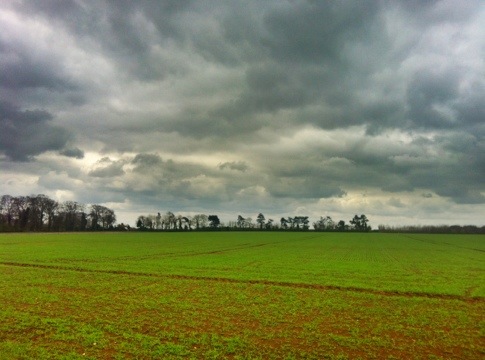
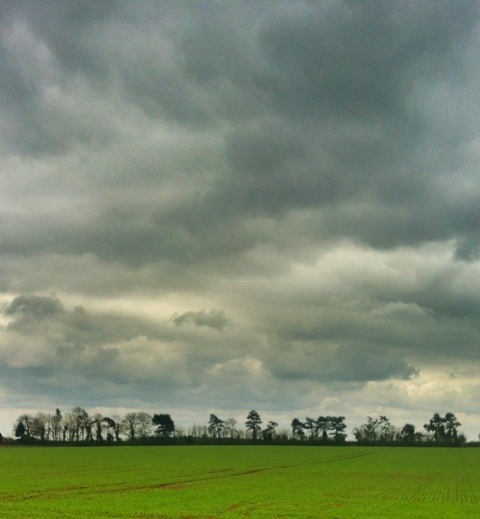
I took the original shot with the Pro HDR app, on my iPhone 4. I prefer the HDR (High Dynamic Range) results from this app over the Apple camera app, the results are more dramatic. However for the best results from Pro HDR two things have to be considered.

  • The camera must be held as still as possible – Pro HDR goes through a sequence of several seconds to detirmine the required exposures and then takes two shots with about a second between them. If you move too much the combined image will be ruined.
  • If there is a lot of movement in the subject you are photographing then the delay described above with spoil the results.

20120406-160911.jpg

Pro HDR

Once the picture is taken you can adjust several image qualities before saving the picture – I increased the colour saturation.

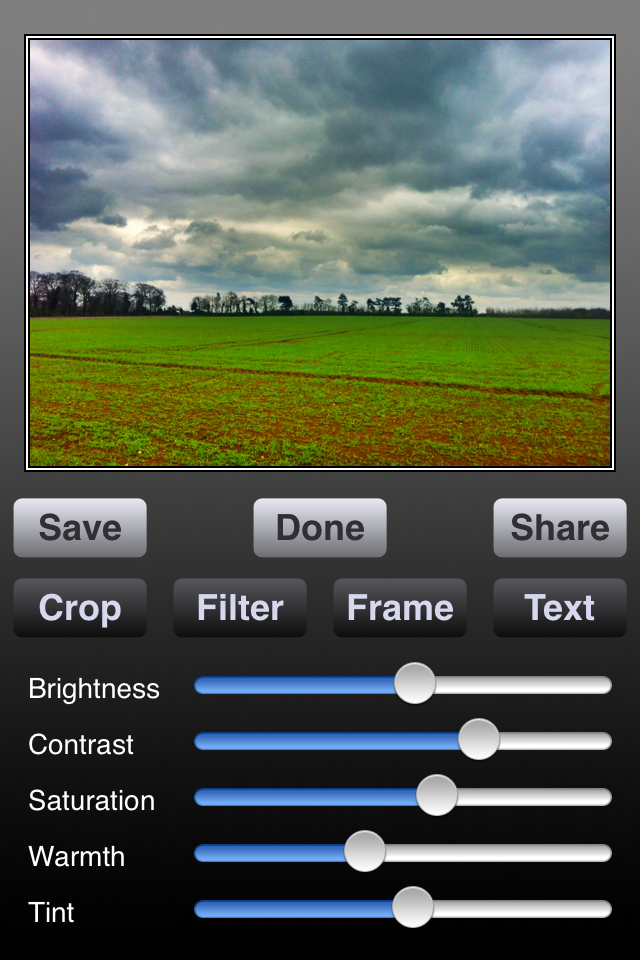
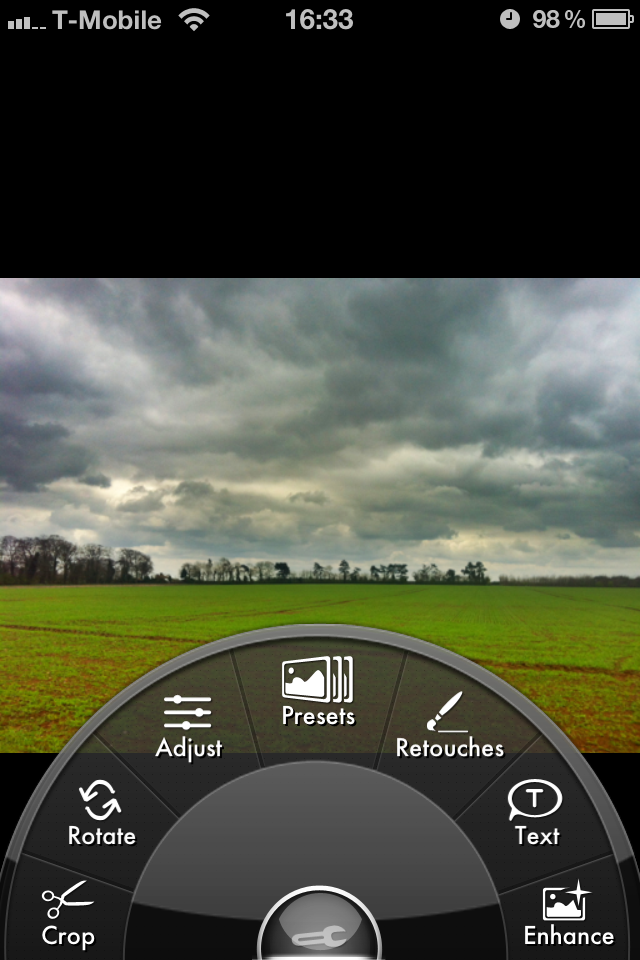
I then imported the image into Photogene2 for more editing – having tried a number of editing apps for my iPhone I particularly like Photogene2, it is easy to use, with a well thought out interface, based on “dial a function”, so you can find the effect or tool you want very quickly.

Photogene2

I cropped out a section of the original image – I included a large section of the clouds that I was interested in and less of the green field. I also cropped for the distinctive line of trees, loosing the hedge and the larger trees.

20120406-161012.jpg

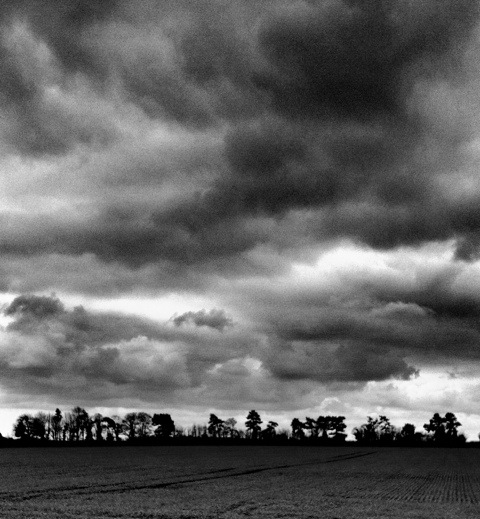
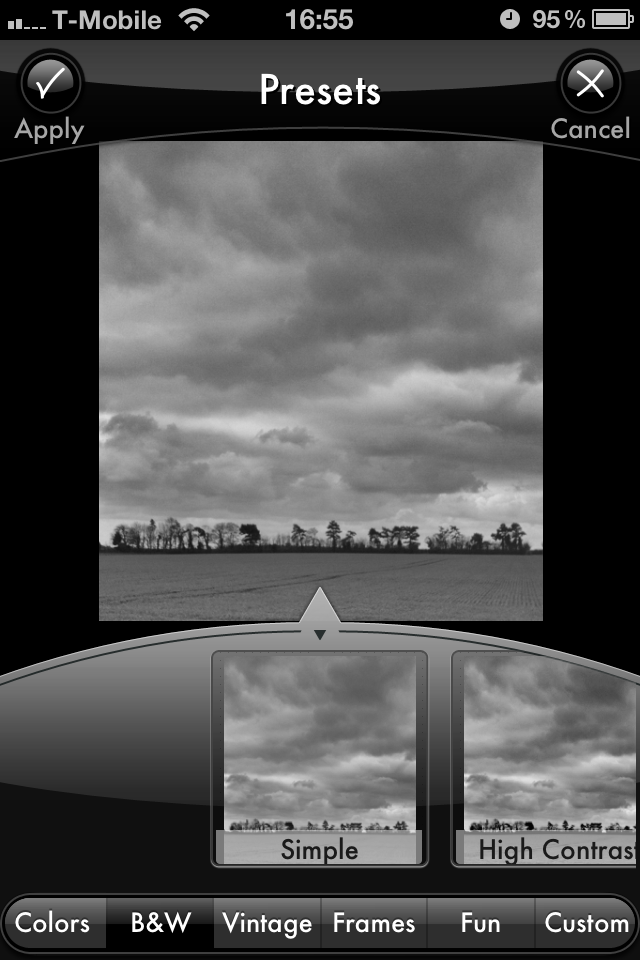
I then applied the “simple black and white” effect.

Photogene2 simple black and white

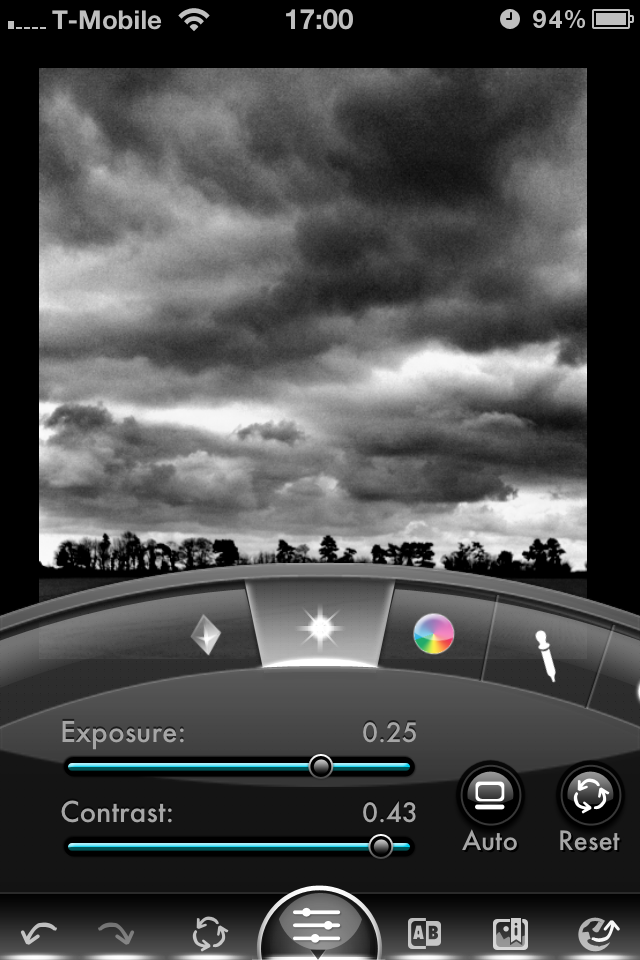
To get the results I wanted, I increased the exposure and the contrast.

Photogene2 exposure and contrast

The final thing to do is to save the finished image to the Camera Roll and post it to my blog.

Note – during the process the save the intermediate images as I make changes, so if I am unhappy with any of the results I can back up and try again.

Black and White Processing Read More »